


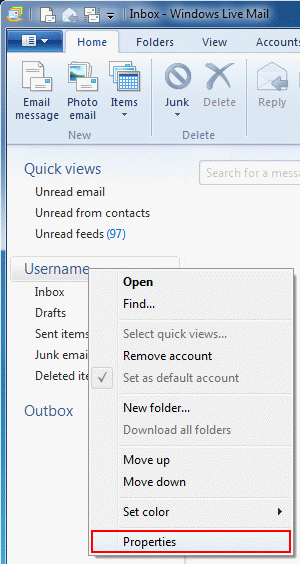
In Windows Live Mail 2011, right click on your email account and choose Properties from the menu.
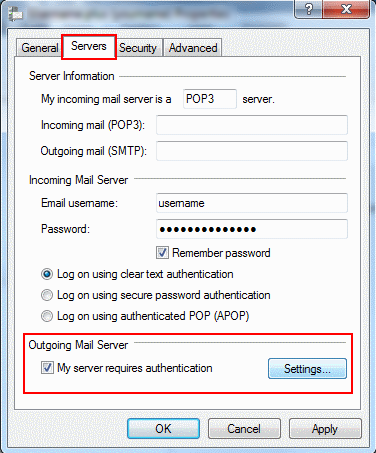
Choose the Servers tab, tick My server requires authentication and then click Settings.
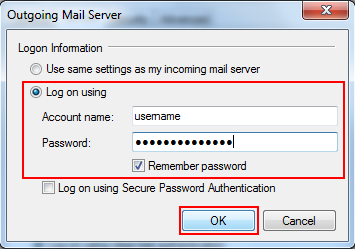
Select Log on using, enter your email address and password and click OK.
Close the setting window and try sending mail again. If there is still an issue , there may be a problem with the Port you are sending on. The most common Port is Port 25. If yoi are still having issue sending mail try using Port 587.
To amend the Port you use to send email, select the ‘Advanced‘ tab.
